
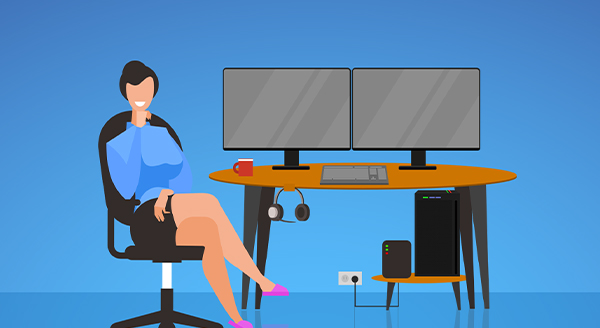
Essential Home Office Tech Upgrades for Remote Work Success | A-M-S-Computers
As remote and hybrid work models become permanent fixtures for modern businesses, having a reliable, efficient home office is essential for daily productivity. Working from a kitchen table or relying on standard consumer tech can lead to frustrating downtime, bad posture, and costly data loss.
At A-M-S-Computers, we help remote professionals, business owners, and work-from-home teams in New Port Richey, FL and across the 727 area set up secure, high-performing home offices. Here are the top tech upgrades that will transform your remote workspace into a high-productivity hub.
1. Uninterruptible Power Supply (UPS): Safeguard Your Work Against Power Outages
Sudden power outages or voltage spikes can shut down your computer mid-task, destroying unsaved files or damaging internal hardware. While common in corporate environments, an Uninterruptible Power Supply (UPS) is one of the most overlooked investments for home offices.
-
Battery Backup Power: Gives you crucial minutes to save complex projects, safely power down systems, and keep internet routers running during local outages.
-
Voltage Regulation: Protects sensitive PC components against electrical surges and brownouts.
-
Sizing Options: Our IT specialists at A-M-S-Computers can help you calculate the exact wattage capacity needed to power your workstation, monitors, and networking gear.
2. Dual Monitors & Ultrawide Displays: Expand Your Visual Screen Real Estate
Relying solely on a small laptop screen limits productivity and causes constant window switching. Upgrading to a multi-monitor or ultrawide desktop setup allows you to view reference materials, spreadsheets, and communication apps side-by-side.
-
Boosted Efficiency: Studies consistently show that secondary monitors increase user productivity and lower task completion times.
-
Paperless Desktop: Easily compare documents digitally on screen rather than printing hard copies that clutter your workspace.
3. High-Speed Document Scanners: Streamline a Paperless Workflow
Converting paper documents into searchable digital files keeps your office organized and improves data access. While flatbed multifunction printers work for occasional scans, dedicated batch document scanners process high volumes of paperwork at rapid speeds.
-
Optical Character Recognition (OCR): Scanned PDF documents become fully searchable by keyword, eliminating time spent flipping through physical file folders.
-
Compact Desk Footprint: Desktop document scanners fit neatly beside your computer, making paper management effortless.
4. Ergonomic Upgrades & Noise-Canceling Tech: Protect Health and Focus
A professional workstation should support both your physical health and mental focus during long working hours.
-
Standing Desks & Converters: Easily transition between sitting and standing throughout the day to increase energy levels and relieve spine pressure.
-
Ergonomic Keyboards & Chairs: Support proper posture and minimize wrist strain caused by repetitive typing on flat laptop keyboards.
-
Noise-Canceling Headphones: Block out domestic distractions—like barking dogs or active households—so you stay focused on critical business calls and video meetings.
Essential Home Office Upgrades at a Glance
| Home Office Upgrade | Key Benefit | Why It Matters for Remote Work |
| UPS Battery Backup | Prevents sudden shutdowns & hardware damage | Saves unsaved data and keeps Wi-Fi running during outages. |
| Dual/Ultrawide Monitors | Expands screen space and reduces window toggling | Dramatically improves multitasking and work efficiency. |
| Batch Document Scanner | Digitizes paper files with keyword-searchable OCR | Clears physical desk clutter and streamlines file retrieval. |
| Ergonomic Tech & Standing Desks | Reduces physical strain on back, neck, and wrists | Keeps you comfortable and energized through long work shifts. |
| Noise-Canceling Headsets | Filters out ambient household noise | Delivers clear video call audio and distraction-free focus. |
Let A-M-S-Computers Optimize Your Remote Setup
Setting up a seamless home office requires more than just buying new hardware—you need secure network connections, proper software configuration, and equipment matched to your specific workload.
Whether you need help selecting hardware, configuring secure VPN access, setting up multi-monitor displays, or installing power protection, our local IT experts are ready to assist.
-
Local Tech Support: Serving New Port Richey, FL, and surrounding Pasco & Pinellas County areas.
-
Phone Support & Consultations: Call 727-645-6956 today to talk directly with an IT specialist.
-
Services Provided: Managed IT support, home office setups, network security, custom PC builds, and hardware repairs.
Contact A-M-S-Computers at 727-645-6956 today to build a secure, efficient, and reliable home office workspace!
As remote and hybrid work models become permanent fixtures for modern businesses, having a reliable, efficient home office is essential for daily productivity. Working from a kitchen table or relying on standard consumer tech can lead to frustrating downtime, bad posture, and costly data loss.
At A-M-S-Computers, we help remote professionals, business owners, and work-from-home teams in New Port Richey, FL and across the 727 area set up secure, high-performing home offices. Here are the top tech upgrades that will transform your remote workspace into a high-productivity hub.
1. Uninterruptible Power Supply (UPS): Safeguard Your Work Against Power Outages
Sudden power outages or voltage spikes can shut down your computer mid-task, destroying unsaved files or damaging internal hardware. While common in corporate environments, an Uninterruptible Power Supply (UPS) is one of the most overlooked investments for home offices.
-
Battery Backup Power: Gives you crucial minutes to save complex projects, safely power down systems, and keep internet routers running during local outages.
-
Voltage Regulation: Protects sensitive PC components against electrical surges and brownouts.
-
Sizing Options: Our IT specialists at A-M-S-Computers can help you calculate the exact wattage capacity needed to power your workstation, monitors, and networking gear.
2. Dual Monitors & Ultrawide Displays: Expand Your Visual Screen Real Estate
Relying solely on a small laptop screen limits productivity and causes constant window switching. Upgrading to a multi-monitor or ultrawide desktop setup allows you to view reference materials, spreadsheets, and communication apps side-by-side.
-
Boosted Efficiency: Studies consistently show that secondary monitors increase user productivity and lower task completion times.
-
Paperless Desktop: Easily compare documents digitally on screen rather than printing hard copies that clutter your workspace.
3. High-Speed Document Scanners: Streamline a Paperless Workflow
Converting paper documents into searchable digital files keeps your office organized and improves data access. While flatbed multifunction printers work for occasional scans, dedicated batch document scanners process high volumes of paperwork at rapid speeds.
-
Optical Character Recognition (OCR): Scanned PDF documents become fully searchable by keyword, eliminating time spent flipping through physical file folders.
-
Compact Desk Footprint: Desktop document scanners fit neatly beside your computer, making paper management effortless.
4. Ergonomic Upgrades & Noise-Canceling Tech: Protect Health and Focus
A professional workstation should support both your physical health and mental focus during long working hours.
-
Standing Desks & Converters: Easily transition between sitting and standing throughout the day to increase energy levels and relieve spine pressure.
-
Ergonomic Keyboards & Chairs: Support proper posture and minimize wrist strain caused by repetitive typing on flat laptop keyboards.
-
Noise-Canceling Headphones: Block out domestic distractions—like barking dogs or active households—so you stay focused on critical business calls and video meetings.
Essential Home Office Upgrades at a Glance
| Home Office Upgrade | Key Benefit | Why It Matters for Remote Work |
| UPS Battery Backup | Prevents sudden shutdowns & hardware damage | Saves unsaved data and keeps Wi-Fi running during outages. |
| Dual/Ultrawide Monitors | Expands screen space and reduces window toggling | Dramatically improves multitasking and work efficiency. |
| Batch Document Scanner | Digitizes paper files with keyword-searchable OCR | Clears physical desk clutter and streamlines file retrieval. |
| Ergonomic Tech & Standing Desks | Reduces physical strain on back, neck, and wrists | Keeps you comfortable and energized through long work shifts. |
| Noise-Canceling Headsets | Filters out ambient household noise | Delivers clear video call audio and distraction-free focus. |
Let A-M-S-Computers Optimize Your Remote Setup
Setting up a seamless home office requires more than just buying new hardware—you need secure network connections, proper software configuration, and equipment matched to your specific workload.
Whether you need help selecting hardware, configuring secure VPN access, setting up multi-monitor displays, or installing power protection, our local IT experts are ready to assist.
-
Local Tech Support: Serving New Port Richey, FL, and surrounding Pasco & Pinellas County areas.
-
Phone Support & Consultations: Call 727-645-6956 today to talk directly with an IT specialist.
-
Services Provided: Managed IT support, home office setups, network security, custom PC builds, and hardware repairs.
Contact A-M-S-Computers at 727-645-6956 today to build a secure, efficient, and reliable home office workspace!

